
 Usability/UX consultant Steve Krug (pronounced “kroog”) is best known as the author of Don’t Make Me Think.
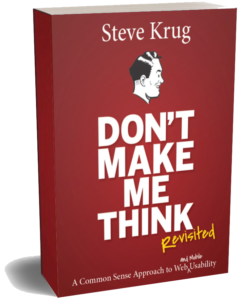 Don’t Make Me Think…
…is in its 3rd edition, with over 700,000 copies sold in 15 languages.
And people are still saying the same nice things they always have, like these recent tweets and Amazon reviews:
“Hands down, still the best introduction to UX.”
“Absolutely everyone should read this book. The internet would be a far better place.”
Featured blog post
You say “potato,” I say “focus group”
There’s one phenomenon you really should be prepared for when you introduce the idea of usability tests in your organization: People will think you mean you're going to be doing focus groups. Seriously. This really happens. All the time. The...
Watch a usability test!
I wrote Rocket Surgery Made Easy to show that usability testing is so simple–and valuable–that everyone building digital products should be doing it.
 If you’d like to see just how easy it is, watch this recording of a usability test I made to go with the book.
Two new podcasts!
I don’t do many podcasts, but I recently had two invitations I couldn’t refuse, and I’m glad I didn’t:
My old friend Lou Rosenfeld and I talked about writing, and my new NZ friend Brendan Jarvis led me through my whole UX career.
Listening times: :42 and 1:16
Are you...
…teaching a course about UX? Check out the Instructor’s Guide for Don’t Make Me Think. It’s free to teachers, and it’s filled with discussion topics, assignments, projects, and quiz questions.
…leading a book group at work? If your group is reading either one of my books, I’d be happy to drop in online for some Q&A. Just ask me.
 Usability/UX consultant Steve Krug (pronounced “kroog”) is best known as the author of Don’t Make Me Think.
FAQ
What have you been up to lately?
Mostly working on some book projects. And one of them isn’t even about usability or UX: It’s about writing.
I’ve never made any secret about the fact that I find writing to be ridiculously hard work. In an attempt to spend less time in agony, over the years I’ve found some things that make writing easier (no, not alcohol), and produce better results—things I wish someone had told me back when I started out. And for a while now I’ve been trying to shape them into a book.
If you want to know more, check out my blog post about the writing book project, or the What have I been up to category, or my twitter feed (@skrug).
Are there any new editions of your books coming out?
Ouch!
Sorry. I’m afraid there are few things more likely to make an author crazy than the prospect of updating a book.
I really would like to update both books, but it’s kind of like deciding to invade Normandy. (The planning part obviously, not the fighting part.) It’s a huge decision and commitment of time.
So I guess the answer is “We’ll see.”
(And of course, the first rule of Update Club is that you never announce that an update is coming, for the purely selfish reason that while you’re killing yourself working on it, nobody is buying the soon-to-be-outdated current edition.)
How can I get in touch with you?
The best way to contact me is by email. (I may never see a twitter DM, for instance.)
You’ll find details on the Contact page, but please do us both a favor and read the FAQ list there before you write.
Why do you have so many FAQ lists?
It’s true: If you poke around a little, you’ll discover that I’ve got an FAQ list on almost every page of my site.
I happen to think that making it easy to find the answers to frequently asked questions is a good thing—as long as they’re really Frequently Asked Questions, and not QYWPWA’s (Questions You Wish People Would Ask).
And just in case you can’t remember where you saw one, I’ve also put all of the FAQ lists together in one place.
Interviews, etc.
My whole UX career (76 min. podcast)
I had a lovely chat with New Zealand UXer Brendan Jarvis on his podcast (The Space InBetween), where he walked me through my whole UX career.
This time the thing I shouldn’t have said was my answer (at 1:07) to his question “What do you see as the greatest usability challenge we are facing as a society?”
Spoiler:

Lou Rosenfeld and I chat, mostly about writing (42 min. podcast)
There are few things more fun for me than a chance to hang out with my friend Lou Rosenfeld.
This time it was mostly about writing, but as usual we wandered around a lot. For instance…
“I was the one kid in Catholic school who never wanted to be a priest”
and…
“Writing is like the torture machine in The Princess Bride that sucks a year out of your life every few seconds.”
Steve Krug discusses UX design's 20 year evolution (6 min. read)
Jeff Link of built in invited me to chat about how UX has developed, and how I stumbled into it in the first place. (April 7, 2020)
“…as much as I dislike Uber as a company, the interface is great. It does exactly what you need.”
“My favorite web interface? Sadly, the one that I always cite, my absolute favorite, just died. It was a company called Hipmunk.”
“Whether you do the testing or not is far more important than whether you have the right participants. You actually tend to learn valuable lessons from the wrong participants.”